Migrating your calibration data doesn’t mean starting from scratch

Migrating your calibration data doesn’t mean starting from scratch

📦 When a company decides to implement a metrology management system such as Visual Factory Calibre, one immediate concern often arises:

What happens to all the data we already have?

📊 Excel spreadsheets containing calibration histories
🗂 Internal databases developed years ago
💻 Standard applications that have become obsolete

For many of our new clients, migrating this data is almost as important as the calibration system itself.

And that makes perfect sense. That history contains years of work, traceability and technical knowledge that cannot be lost.

At Elecsoft, we place great importance on this process.
Over the years, we have carried out hundreds of data migrations to Visual Factory Calibre, adapting to each environment and ensuring a secure transition.

Our objective is clear:

✔ Preserve existing historical data as much as possible
✔ Structure the information correctly in the new system
✔ Avoid data loss or inconsistencies
✔ Facilitate a smooth implementation from day one

Because implementing a new system does not mean starting from scratch.
It means leveraging all the accumulated knowledge and transferring it to a more robust, traceable and audit-ready environment.

🔗 Discover how Visual Factory Calibre can help you digitise your metrology management: www.elecsoft.com

VF Calibre TIP #8 — Using Excel Templates in Visual Factory Calibre (Example: Viscosity Cup)

VF Calibre TIP #8 — Using Excel Templates in Visual Factory Calibre (Example: Viscosity Cup)

Many companies already have their own Excel templates for performing calibrations, verifications, or other controls.

Internally validated sheets, with formulas, automatic calculations, and structures adapted to each type of equipment.

In this VF Calibre TIP #8, we show how Visual Factory Calibre allows you to work with customized Excel templates directly within the system, while maintaining:

✔ Your usual templates
✔ Your formulas and automatic calculations
✔ Your technical evaluation logic

But adding what Excel alone does not provide:

🔹 Full traceability (equipment, reference standard, date, user)
🔹 Version control and security
🔹 Centralized database records
🔹 Integration with planning and certificates

🎥 In the video, we use a viscosity cup as an example, but this functionality applies to any type of equipment or verification process.

👉 Keep the flexibility of Excel without giving up the robustness of an audited system.

📺 Watch the full video here: https://youtu.be/qJVLuhWmj2Y

🔗 More information: Elecsoft — www.elecsoft.com

TIP VF Calibre #5 — Attribute Formats: Simplicity and “OK / Not OK” Control

TIP VF Calibre #5 — Attribute Formats: Simplicity and “OK / Not OK” Control

⚙️ In Visual Factory Calibre, there are different formats available for performing inspections, and the simplest of them all is the “Attribute” type.

This format allows you to record qualitative results —for example, “OK / Not OK” or “Approved / Rejected”— making it ideal for quick, clear checks, especially in visual or functional verifications.

🎥 In this new TIP VF Calibre #5, we show you how to configure and use attribute formats, the perfect starting point to get familiar with Calibre’s logic before moving on to formats involving correction calculations, uncertainties, or numerical tolerances.

👉 Master the simplicity of attribute formats to get ready for more advanced formats that include correction and uncertainty calculations.

📺 Watch the full video here:
🔗 TIP VF Calibre #5 — Attribute Formats (Fictional link)

🔗 Learn more about Visual Factory Calibre at www.elecsoft.com

#Elecsoft #VisualFactoryCalibre #TechTip #Attributes #OKNotOK #Metrology #Calibration #QualityControl #Industry40

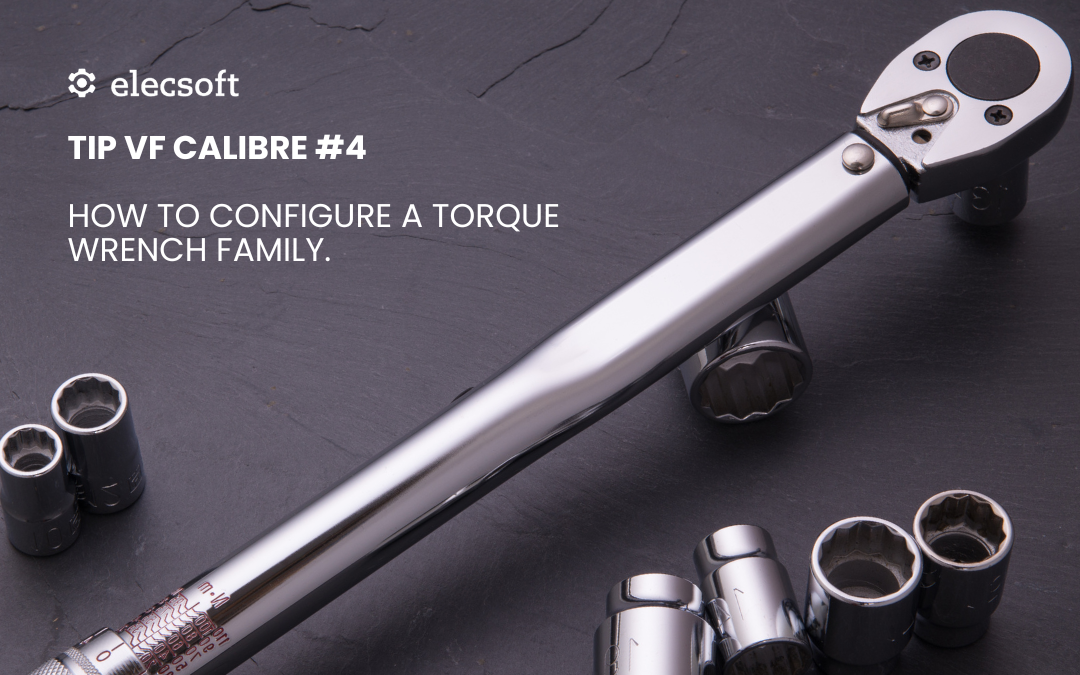
TIP VF Calibre #4 – How to Set Up a Torque Wrench Family

TIP VF Calibre #4 – How to Set Up a Torque Wrench Family

🔧 Do you have several torque wrenches in your facility, each calibrated using different criteria?
With Visual Factory Calibre, you can create a family of tools with a common configuration, ensuring uniformity and efficiency in the calibration process.

🎥 In this new TIP #4, we show you step by step how to configure a torque wrench family by defining:

Common tolerances and acceptance criteria
Technical fields adapted to the type of tool
Specific calibration instructions
Templates to automatically generate certificates

👉 All this translates into fewer errors, greater traceability, and faster work for your technicians.

🎥 Watch the full video on our YouTube channel:

🔗 Video — TIP VF Calibre #4: Family Configuration

https://www.youtube.com/watch?v=r5rOz85dcbk

💡 Setting up a family properly today saves you time on every calibration tomorrow.

Migrating data is NOT starting from scratch, it’s moving forward without losing accumulated value

Migrating data is NOT starting from scratch, it’s moving forward without losing accumulated value

When a company decides to invest in solutions like Visual Factory Calibre, it’s common to already have a significant volume of data recorded in their current systems.

📁 Old databases
📊 Custom-built applications
📄 Excel spreadsheets
💻 Standard software, sometimes obsolete

And the concern is logical:

What happens to all that information? Do we have to start from zero?

👉 At Elecsoft, we know that this data is valuable. That’s why we offer customized data migration services that allow you to adopt our solutions without giving up the work already done.

Our team analyzes your current system and designs a migration process tailored to your environment so the transition to Visual Factory is smooth, safe, and loss-free.

✅ Keep your historical data as much as possible
✅ We can adapt to your current needs
✅ Gain traceability from day one
✅ Reduce implementation times

No matter if you’re coming from an Excel sheet or a complex industrial system: migrating well means starting better.